**All Workbenches are final Sale! No returns or cancellations**
**All Workbenches are final Sale! No returns or cancellations**
Proud to announce we are ISO 9001:2015 | 13485:2016 Certified
Proud to announce we are ISO 9001:2015 | 13485:2016 Certified
If you have any Questions? Call us at (651) 600-3838
If you have any Questions? Call us at (651) 600-3838



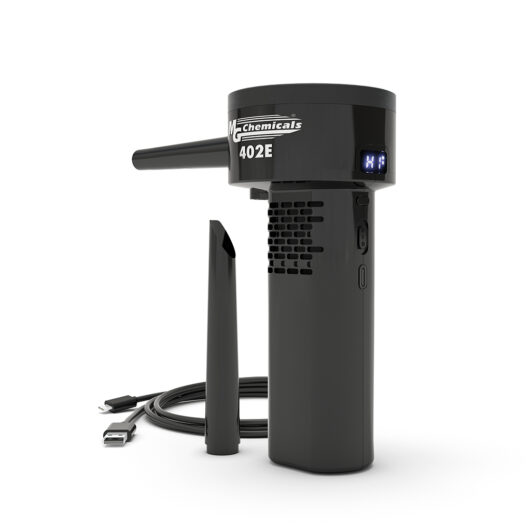
MG Chemicals 402E Electronic Super Duster is a fast-acting compressed-air cleaner for removing dust, debris, and loose contamination from printed circuit boards, electronics, keyboards, connectors, and other hard-to-reach areas. It cleans without leaving residue, making it useful for routine electronics maintenance and bench-level service work.
Use the 402E to direct compressed air at dust and loose debris in the area being serviced. Follow the directions and safety information on the product container, and use appropriate precautions for the equipment and work environment.
When dust collects around components, connectors, and narrow openings, wiping can be difficult and may move contamination farther into the equipment. The 402E provides a practical, residue-free way to clear loose debris from areas that are difficult to reach with a cloth or brush.
It is used to remove dust, debris, and loose contamination from PCBs, electronics, keyboards, connectors, and other hard-to-reach areas.
The product is described as fast-acting and leaves no residue after use.
Yes. The 402E is intended for use on printed circuit boards and sensitive electronic equipment.
Typical uses include electronic assemblies, keyboards, connectors, and other equipment with dust or loose debris in narrow or difficult-to-reach areas.
No. The 402E is a compressed-air duster intended to blow away loose contamination rather than apply a liquid cleaner.
The manufacturer part number for this product is 402E.
Join our mailing list to receive specials and up to date product news and releases


TO ADD MULTIPLE ITEMS TO YOUR QUOTE, PLEASE FILL QTY FIELD THEN CLICK ON "ADD TO QUOTE"